

A python program that show current DNS servers setting (show content of /etc/resolv.conf)
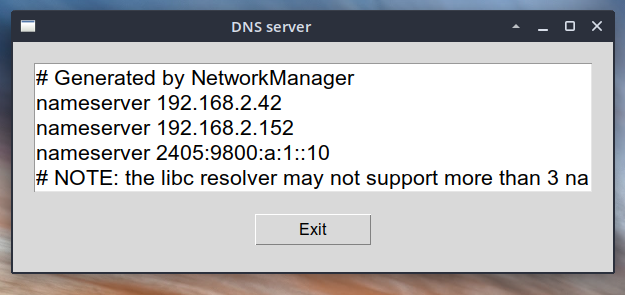
code - tkinter
#!/usr/bin/python3
import tkinter as tk

# create root window
root = tk.Tk()

# root window title and dimension
root.title("DNS server")
# Set geometry(widthxheight)
root.geometry('600x230')

# Create text widget and specify size.
T = tk.Text(root, height = 5, width = 52, font=("Helvetica",16))
T.pack(pady=20,padx=20)
with open('/etc/resolv.conf') as f:
    content = f.readlines()
    # Insert content to textbox
    for line in content:
        T.insert(tk.END, line)
T.config(state=tk.DISABLED)

# Button for closing
exit_button = tk.Button(root, text="Exit", height=1, width=10,font=("Helvetica",12),command=root.quit)
exit_button.pack()

# Execute Tkinter
root.mainloop()